
I don’t install a platform on hardware I haven’t tested. The homelab community is full of “I just installed Proxmox and it worked” posts that skip the part where you check whether the NIC actually negotiates at the right PCIe width, the boot SSD isn’t already worn out, and the storage tiers can handle concurrent I/O without bus conflicts.
CentOS Stream 10 live boot on the Dell OptiPlex 5090 SFF. The goal: a repeatable, node-agnostic checklist that proves every component before OKD touches the disk.
Why CentOS Stream 10?
OKD 4.20 runs on SCOS 10 — CentOS Stream CoreOS, built on CentOS Stream 10 with kernel 6.12.x. Using the same base OS for validation means identical driver availability. If mlx5_core loads here, it loads under OKD. If your NVMe shows up here, it shows up under SCOS.
The live ISO comes from the SIGs/altimages path — not the main BaseOS (which only has installer ISOs, not live environments):
https://mirror.stream.centos.org/SIGs/10-stream/altimages/images/live/x86_64/Use the MIN-Live image. It boots to a shell with dnf available — no GUI overhead, just what you need.
Boot and install tools
CentOS Stream 10 boots, auto-logs in as liveuser, and you’re at a shell. Kernel 6.12.0-136.el10.x86_64 — the same 6.12 series that SCOS 10 ships.

sudo sudnf install -y smartmontools fio iperf mstflint pciutils lsscsi nvme-cli ethtoolEverything installs in under a minute. The live environment runs entirely from RAM — nothing touches the disks until you tell it to.
Drive detection — all three tiers simultaneously
The OptiPlex 5090 SFF has one M.2 slot, two SATA ports, and a 3.5” drive bay. All three storage tiers must be visible at the same time.
# lsblk -d -o NAME,SIZE,MODEL,ROTA,TRAN,TYPENAME SIZE MODEL ROTA TRAN TYPEsda 3.6T WDC WD40EZRZ-00GXC 1 sata disksdb 372.6G INTEL SSDSC2BX400G 0 sata disknvme0n1 476.9G PNY CS1030 500GB S 0 nvme disk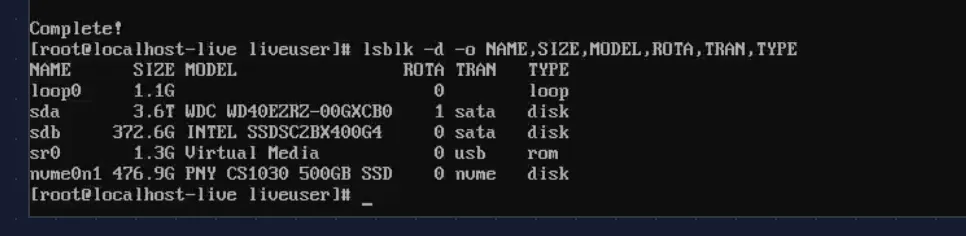
Three devices, three tiers: the Intel D3-S3610 400 GB SATA SSD (boot/etcd), the PNY CS1030 500 GB NVMe (Ceph fast pool OSD — consumer-grade, Phase 0 testing only), and the WDC 4 TB HDD (standing in for the production Toshiba 20 TB to validate the 3.5” bay clearance).
nvme list and lsscsi confirm the details:
# nvme listNode Model SN Namespace FW/dev/nvme0n1 PNY CS1030 500GB SSD PNB46257035080101591 0x1 GT67d92d
# lsscsi[0:0:0:0] cd/dvd JetKVM Virtual Media /dev/sr0[1:0:0:0] disk ATA WDC WD40EZRZ-00G 0A80 /dev/sda[4:0:0:0] disk ATA INTEL SSDSC2BX40 0140 /dev/sdb
Note (The PNY CS1030 is a placeholder)
This is a DRAM-less consumer NVMe — fine for Phase 0 validation but unsuitable for production Ceph OSD workloads. The production drives will be enterprise-grade NVMe chosen after the BOM research is complete. The point here is proving the M.2 slot works and the drive coexists with the SATA devices.
SMART health
These are used/refurbished parts. SMART data tells you what you’re actually working with.
Intel D3-S3610 (boot SSD):
# smartctl -a /dev/sdb | grep -E "SMART overall|Reallocated|Wear_Leveling|Media_Wear|Power_On_Hours"SMART overall-health self-assessment test result: PASSED 5 Reallocated_Sector_Ct 0x0032 100 100 000 Old_age Always - 0 9 Power_On_Hours 0x0032 100 100 000 Old_age Always - 34600226 Workld_Media_Wear_Indic 0x0032 100 100 000 Old_age Always - 337233 Media_Wearout_Indicator 0x0032 100 100 000 Old_age Always - 0
PASSED. Zero reallocated sectors. 34,600 power-on hours — about 4 years of continuous operation, typical for a decommissioned enterprise drive. Media_Wearout_Indicator at 0 with normalized 100/100 means minimal MLC wear. Plenty of life left for etcd.
PNY CS1030 (NVMe, test only):
# smartctl -a /dev/nvme0n1 | grep -E "Critical Warning|Percentage Used|Power On Hours|Media and Data Integrity"Critical Warning: 0x00Percentage Used: 0%Power On Hours: 3Media and Data Integrity Errors: 0
Brand new. 3 power-on hours, 0% wear. This came with the Dell from the seller.
WDC WD40EZRZ (HDD, test drive):
# smartctl -a /dev/sda | grep -E "SMART overall|Reallocated|Current_Pending|Power_On_Hours"SMART overall-health self-assessment test result: PASSED 5 Reallocated_Sector_Ct 0x0033 200 200 140 Pre-fail Always - 0 9 Power_On_Hours 0x0032 034 034 000 Old_age Always - 48809196 Reallocated_Event_Count 0x0032 200 200 000 Old_age Always - 0197 Current_Pending_Sector 0x0032 200 200 000 Old_age Always - 0
PASSED. 48,809 hours (~5.5 years), zero reallocated sectors, zero pending sectors. This is a placeholder drive — the production 20 TB Toshiba goes through the same check when it arrives. The point here is validating the 3.5” bay clearance and SATA channel.
Concurrent I/O — the real test
Individual drive tests don’t catch bus conflicts. The real question: can all three drives sustain simultaneous reads through the PCH without errors?
fio --name=ssdread --filename=$BOOT_SSD --rw=read --bs=1M --size=1G \ --direct=1 --ioengine=libaio --iodepth=16 --runtime=30 --time_based --group_reporting \ --name=nvme_read --filename=$NVME --rw=read --bs=1M --size=1G \ --direct=1 --ioengine=libaio --iodepth=16 --runtime=30 --time_based --group_reporting \ --name=hdd_read --filename=$HDD --rw=read --bs=1M --size=1G \ --direct=1 --ioengine=libaio --iodepth=16 --runtime=30 --time_based --group_reporting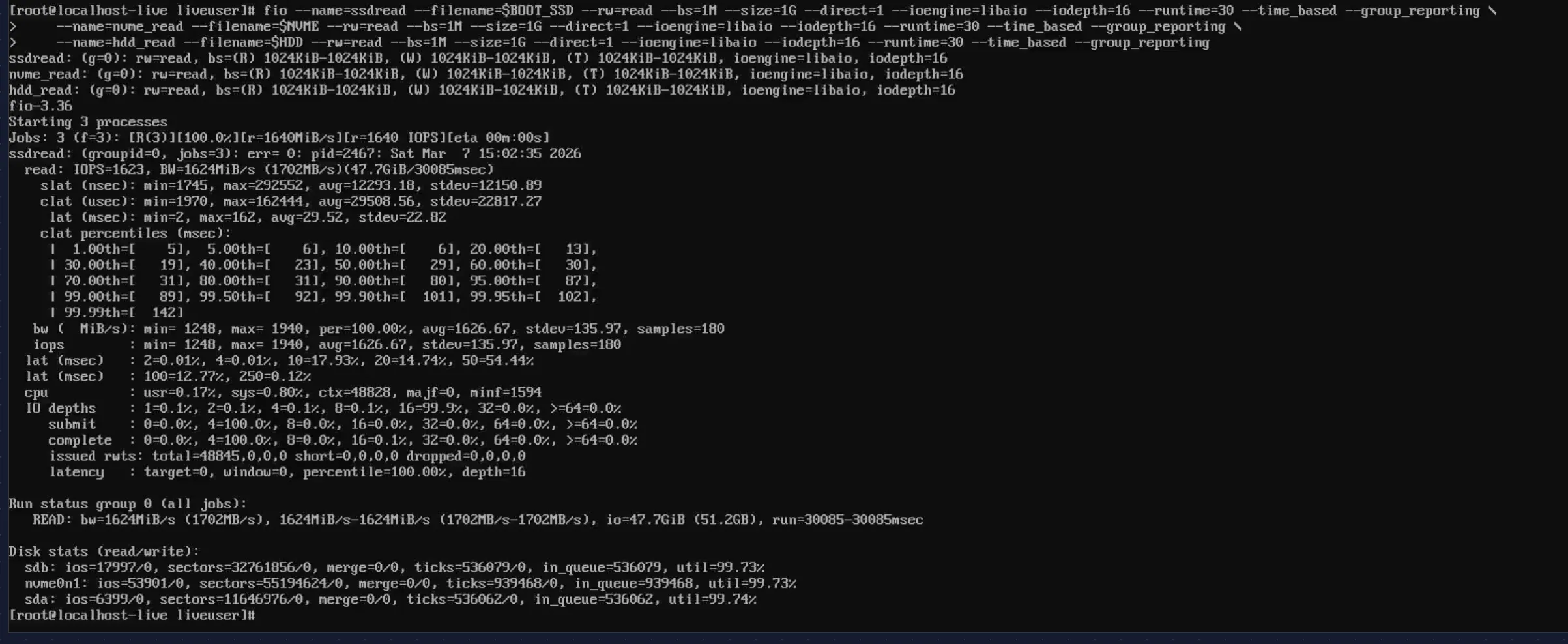
All three drives active simultaneously, all at 99.7% utilization, zero errors. The aggregate throughput: 1,702 MB/s read bandwidth. The disk stats confirm each device was hammered:
Disk stats (read/write): sdb: ios=17997/0 (Intel SSD — saturated) nvme0n1: ios=53901/0 (PNY NVMe — saturated) sda: ios=6399/0 (WDC HDD — saturated)No bus conflicts, no I/O errors in dmesg. The Q570 chipset handles all three tiers without issues.
The NIC journey: three cards, three problems
Intel X710-DA2 — POST hang
The Intel X710-DA2 was the first choice — dual SFP+ 10GbE, i40e driver, Red Hat Ecosystem Catalog certified. For a platform running SCOS (same kernel as RHEL), a Red Hat certified NIC seemed like the safe bet.
It wasn’t.
I installed the X710 in the PCIe x16 slot, connected a DAC cable to the CRS317, powered on. The system hung at POST — frozen on the Dell splash screen. No BIOS, no boot menu, nothing. JetKVM showed a static Dell logo forever.
Attempt 1: Disable Option ROM. The X710 has a PXE/UEFI Option ROM that runs during POST. Pulled the NIC, booted into BIOS, disabled Option ROM for the PCIe slot, shut down, reinstalled. Same hang.
Attempt 2: Every BIOS combination. Disabled PXE boot, toggled UEFI network stack, changed PCIe slot config. Nothing. With the X710 installed, the system wouldn’t POST. Without it, fine.
Attempt 3: Reseat. Only one usable PCIe slot in the 5090 SFF. Reseated the card, confirmed full engagement. Same result.
Scattered forum reports of Intel X710 + Dell OptiPlex compatibility issues — PCIe lane negotiation conflicts with the Dell BIOS/firmware. No official Dell or Intel docs acknowledge it. Returned the X710.
Mellanox ConnectX-3 CX312A — driver dropped from SCOS 10
Second attempt: Mellanox ConnectX-3 CX312A. Dual SFP+ 10GbE, mlx4_core driver. Cheaper, widely available used.
I first tested it on an RHCOS live image (from an earlier OpenShift evaluation). PCIe detected fine, both ports visible, link up. Looked good.
Then I switched the project from OCP to OKD. OKD 4.20 runs SCOS 10, not RHCOS. Booted CentOS Stream 10 live (same kernel as SCOS 10) — lspci showed the card, PCIe negotiation fine. But ip link showed no Mellanox interfaces. No mlx4_core module loaded.
Danger (Driver removed upstream)
mlx4_core is not included in SCOS 10 / CentOS Stream 10 kernel (6.12). The ConnectX-3 uses the mlx4 driver family, which has been deprecated upstream. RHCOS (RHEL 9 based) still carried it. SCOS 10 (RHEL 10 lineage) does not. The hardware works — the driver simply isn’t there anymore.
Returned the ConnectX-3.
Mellanox ConnectX-4 Lx CX4121C — finally
Third attempt: Mellanox ConnectX-4 Lx CX4121C (Dell P/N 20NJD). Dual SFP28 25GbE, mlx5_core driver. Dell OEM card — no chassis compatibility risk. mlx5_core is the current Mellanox driver, actively maintained, ships in every modern kernel.
I installed it. System booted normally. Both ports detected. Everything worked.
| Intel X710-DA2 | Mellanox CX312A | Mellanox CX4121C (Dell 20NJD) | |
|---|---|---|---|
| Dell 5090 SFF POST | No — hang | Yes | Yes |
| SCOS 10 / kernel 6.12 | N/A | No — mlx4_core removed | Yes — mlx5_core |
| Ports | 2x SFP+ 10GbE | 2x SFP+ 10GbE | 2x SFP28 25GbE |
| Driver | i40e | mlx4_core (deprecated) | mlx5_core |
Three NICs, three different failure modes: hardware incompatibility, deprecated driver, and finally success. About a month of shipping, testing, and returning. All avoidable by checking the kernel module list against the NIC before buying — but who does that for a card that worked on the previous kernel?
Warning (Lesson learned)
This is why you buy one NIC and validate before ordering five.
NIC detection and PCIe negotiation
With two NICs returned and the CX4121C installed, time to see if the third attempt actually works.
# lspci -nn | grep -i mellanox01:00.0 Ethernet controller [0200]: Mellanox Technologies MT27710 Family [ConnectX-4 Lx] [15b3:1015]01:00.1 Ethernet controller [0200]: Mellanox Technologies MT27710 Family [ConnectX-4 Lx] [15b3:1015]
Both ports detected. Device ID 15b3:1015 — that’s the ConnectX-4 Lx. The mlx5_core driver loads automatically with the full module tree:
# lsmod | grep mlx5mlx5_core 3174400 2 mlx5_fwctl,mlx5_ibmlx5_ib 561152 0mlx5_fwctl 16384 0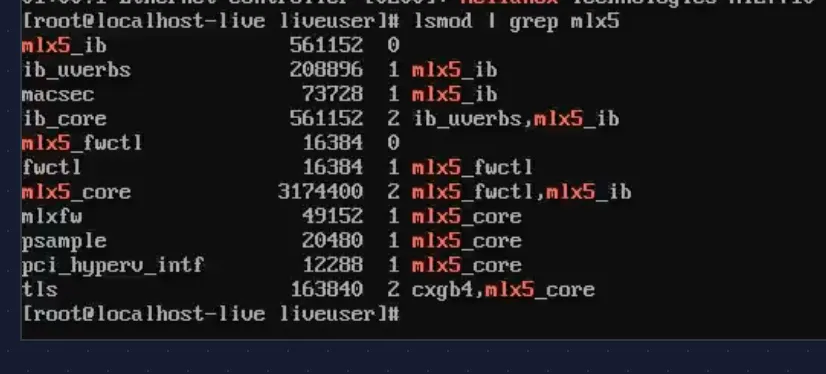
Kernel dmesg confirms both ports came up during boot:
mlx5_core 0000:01:00.0 enp1s0f0np0: Link upmlx5_core 0000:01:00.1 enp1s0f1np1: Link upe1000e 0000:00:1f.6 enp0s31f6: NIC Link is Up 1000 Mbps Full Duplex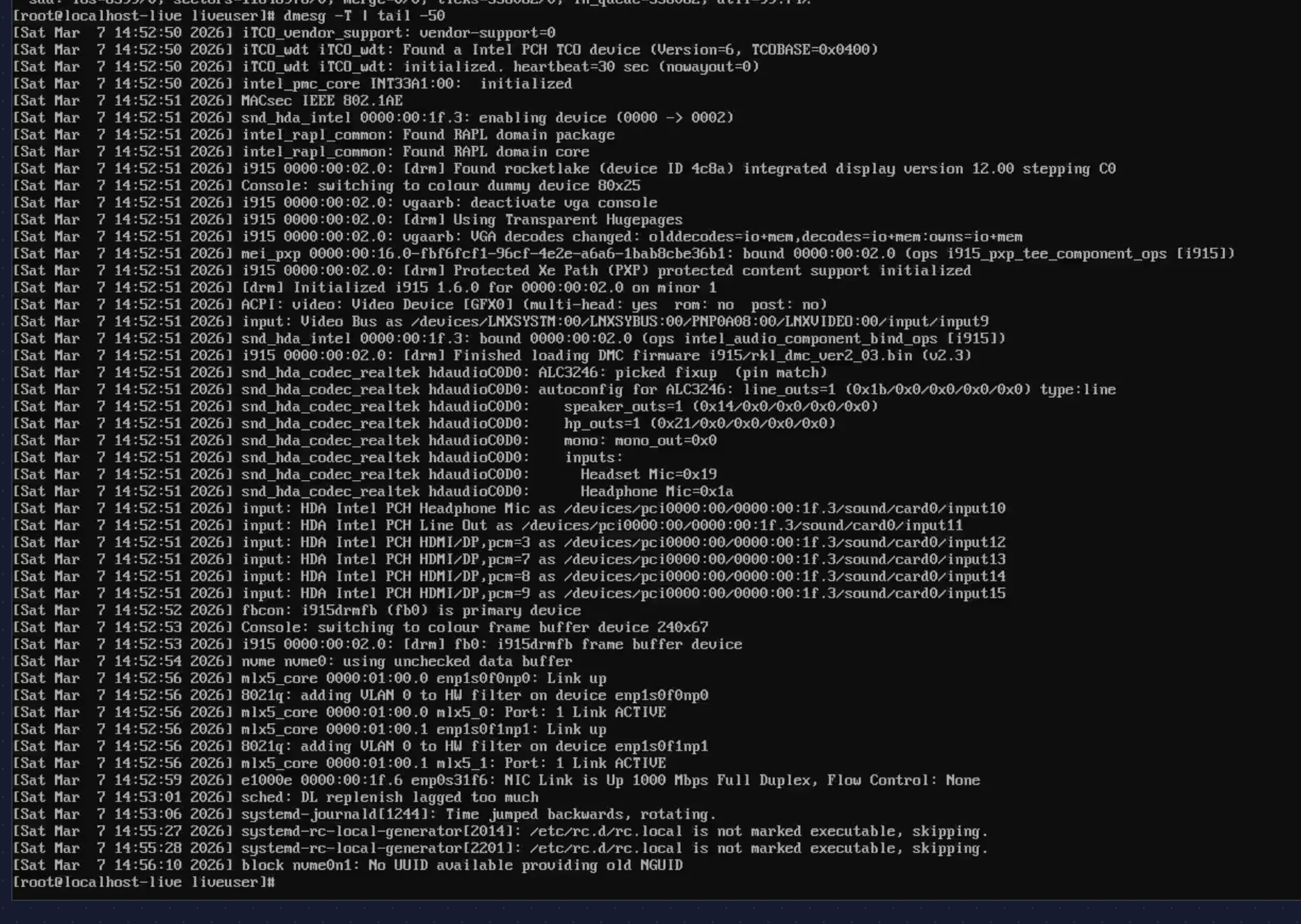
All three interfaces are UP:
# ip -br link | grep -E "ens|enp"enp0s31f6 UP d0:8e:79:05:37:0aenp1s0f0np0 UP ec:0d:9a:75:a5:d8enp1s0f1np1 UP ec:0d:9a:75:a5:d9
PCIe lane negotiation
This is where SFF builds often have surprises. The CX4121C supports PCIe 3.0 x8. Does the OptiPlex 5090 SFF give it full width?
# lspci -vv -s $PCI_ADDR | grep -E "LnkCap|LnkSta"LnkCap: Port #0, Speed 8GT/s, Width x8, ASPM L1, Exit Latency L1 <4usLnkSta: Speed 8GT/s, Width x8
Full width. 8GT/s (PCIe 3.0), x8, no “(downgraded)” warnings. That’s ~8 GB/s of PCIe bandwidth — plenty for dual 25 GbE (which tops out at ~6.25 GB/s aggregate).
Warning (If you see downgraded width)
If LnkSta shows x4 or x1, reseat the card. The SFF riser’s contact pressure can be tight. PCIe 3.0 x4 would still handle 10 GbE but would bottleneck Ceph under heavy replication.
Link speed and transceiver
Both ports auto-negotiate to 10 Gbps (the CRS317’s SFP+ cages cap at 10 GbE; the CX4121C’s SFP28 ports are backward-compatible):
# ethtool enp1s0f0np0Settings for enp1s0f0np0: Speed: 10000Mb/s Duplex: Full Port: Direct Attach Copper Auto-negotiation: on Link detected: yes
# ethtool -m enp1s0f0np0 Transceiver type: Extended: 25G Base-CR CA-N Length (Copper): 1m Vendor name: MikroTik Vendor PN: XS+DA0001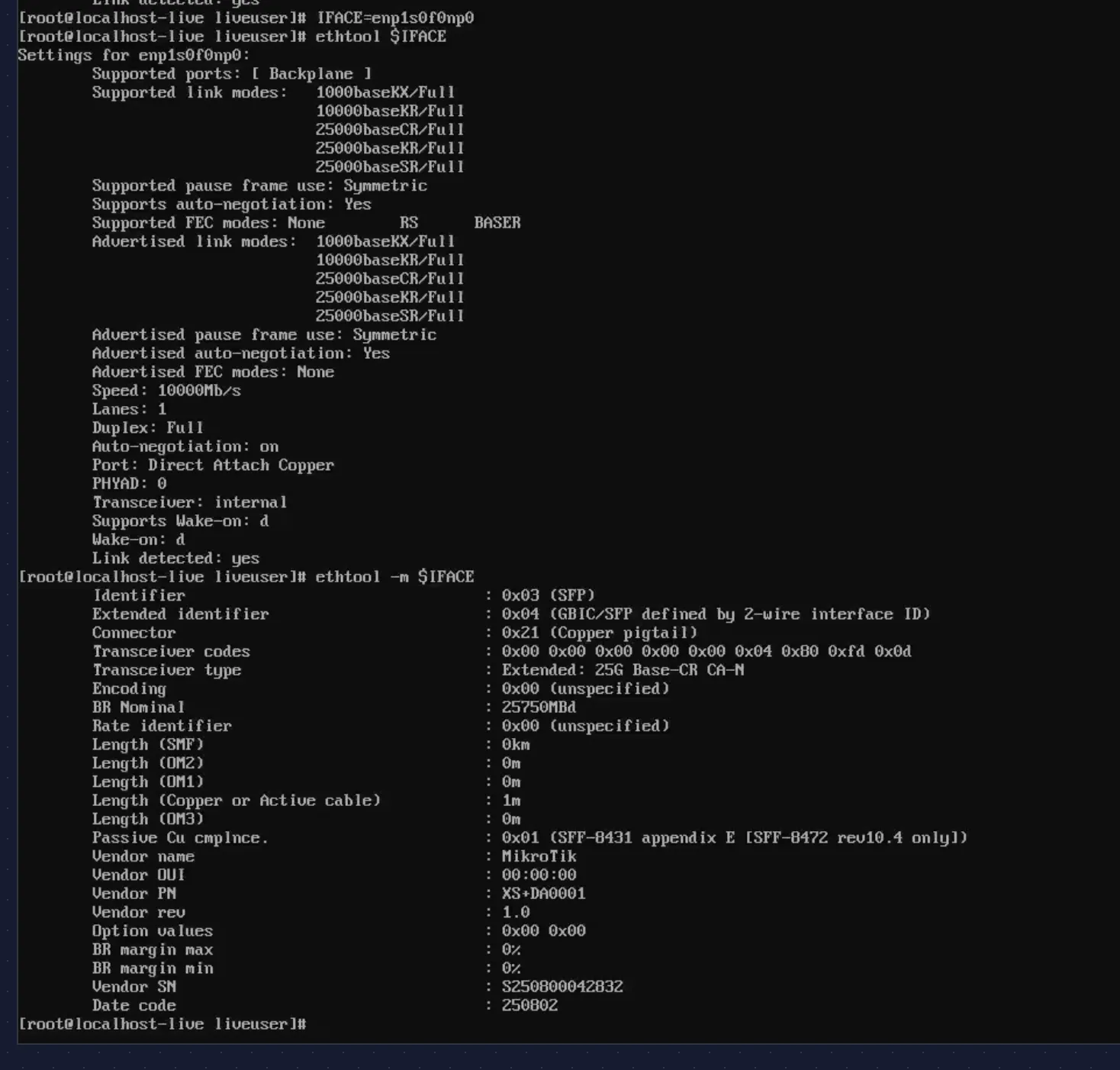
MikroTik XS+DA0001: 25G Base-CR CA-N, 1 meter passive copper DAC. At this length, no signal issues. Port 2 shows identical results:
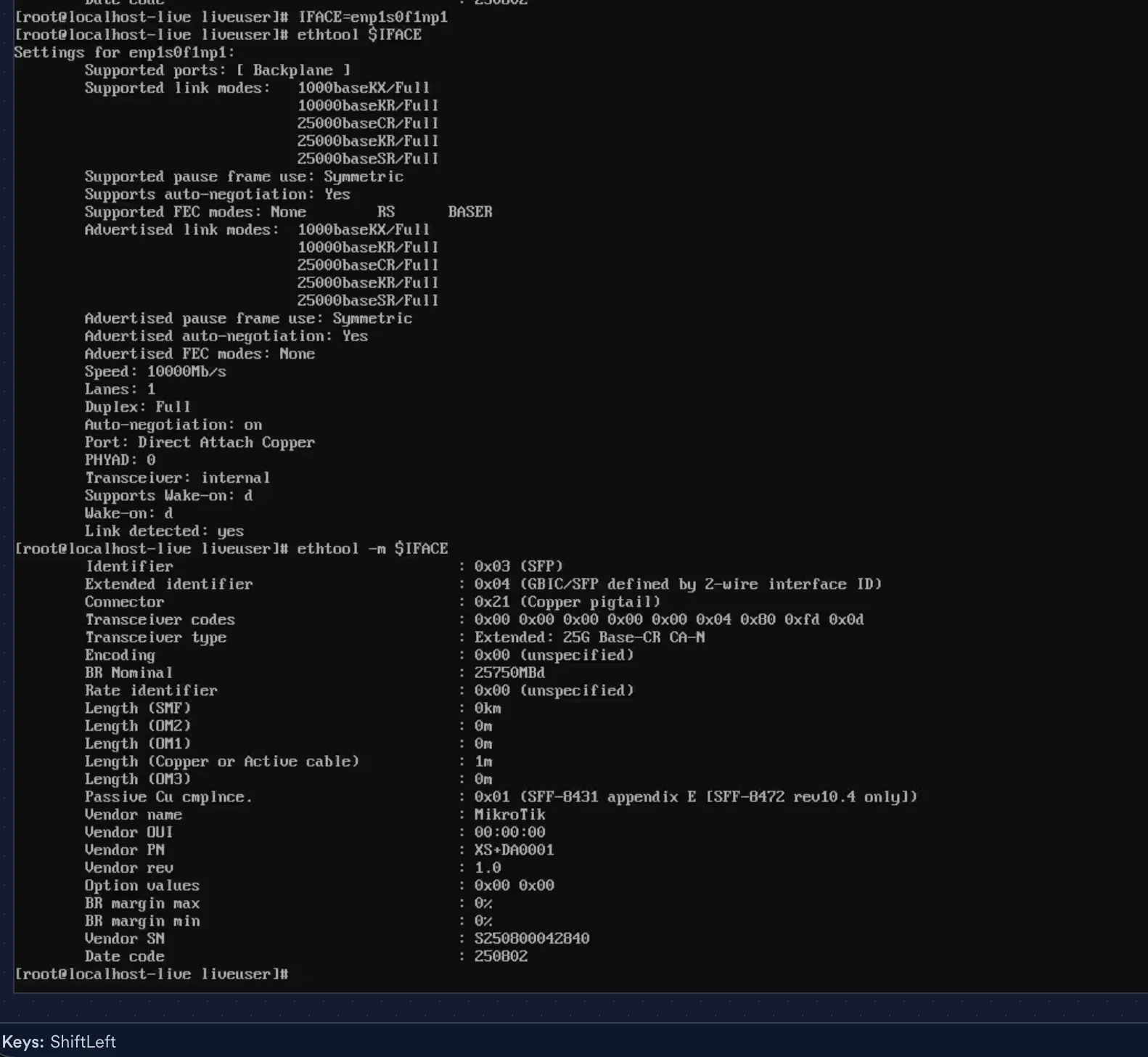
Firmware and device identity
# ethtool -i enp1s0f0np0 | grep -E "driver|version|firmware"driver: mlx5_coreversion: 6.12.0-136.el10.x86_64firmware-version: 14.32.2004 (DEL2420110034)
# mstconfig -d $PCI_ADDR query 2>/dev/null | head -10Device type: ConnectX4LXName: 0Z0NJD_OMRTOD_AxDescription: Mellanox 25GBE 2P ConnectX-4 Lx Adapter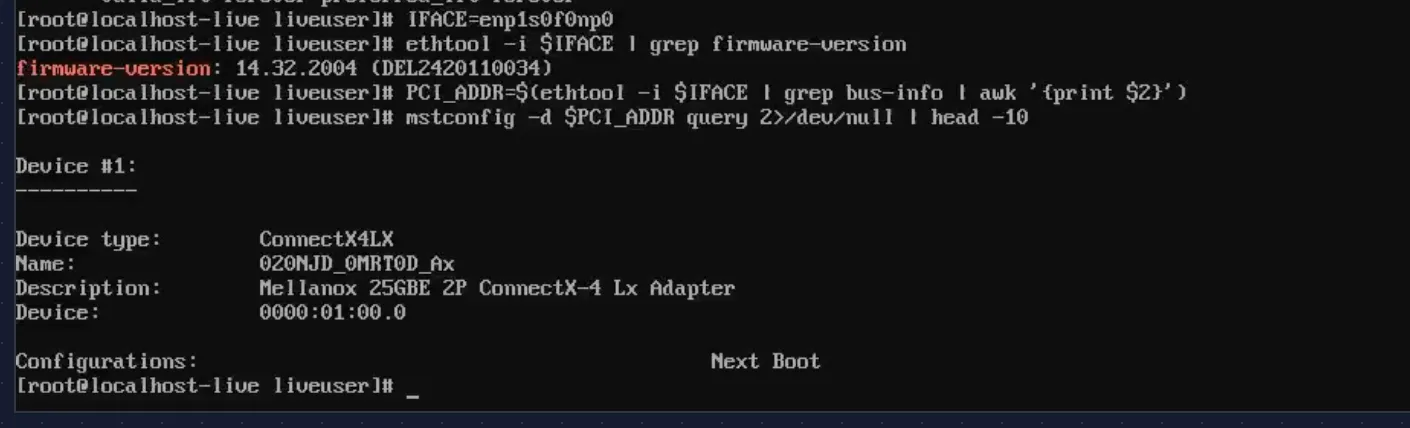
Firmware 14.32.2004 — Dell OEM build. Current, no upgrade needed. The part number (0Z0NJD, sold as Dell 20NJD) confirms this is the Dell-branded CX4121C.
Onboard NIC and basic connectivity
The onboard Intel NIC (enp0s31f6) handles management traffic and OKD cluster networking:
# ethtool enp0s31f6 | grep -E "Speed|Link detected"Speed: 1000Mb/sLink detected: yes
# ip addr show enp0s31f6inet 192.168.1.71/16 scope global dynamic enp0s31f6
# ping -c 3 192.168.1.13 packets transmitted, 3 received, 0% packet lossrtt min/avg/max/mdev = 0.122/0.174/0.210/0.037 ms
# ping -c 3 8.8.8.83 packets transmitted, 3 received, 0% packet lossrtt min/avg/max/mdev = 15.618/15.732/15.848/0.093 ms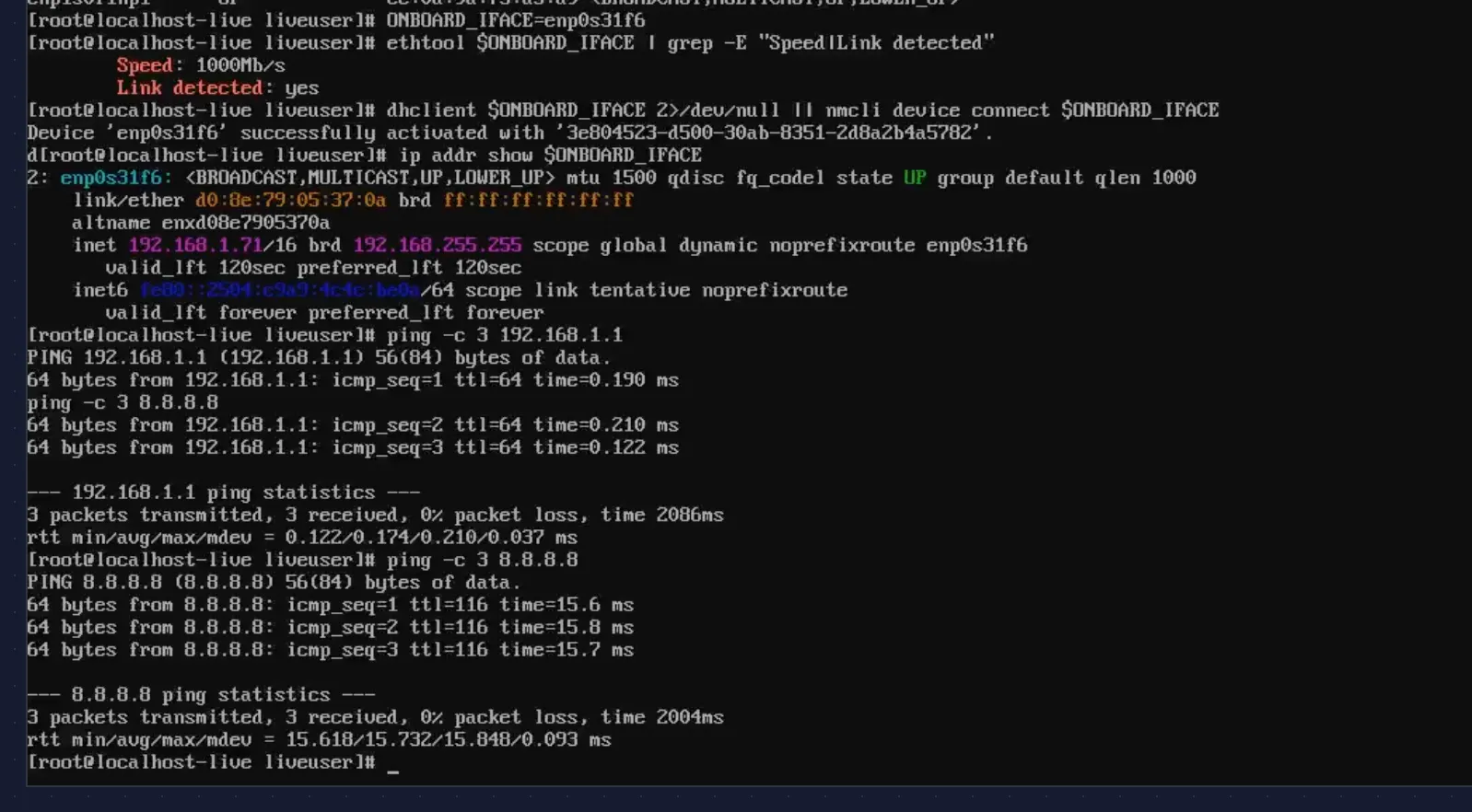
DHCP lease from the CCR2004, sub-millisecond latency to the gateway, ~16 ms to Google DNS. The management network works.
Memory and CPU
# free -h total used free shared buff/cache availableMem: 62Gi 1.6Gi 61Gi 237Mi 715Mi 60Gi
# dmidecode -t memory | grep -E "Size|Speed|Locator|Type:"Size: 32 GB Locator: DIMM1 Type: DDR4 Speed: 3200 MT/sSize: No Module Installed Locator: DIMM3Size: No Module Installed Locator: DIMM4Size: 32 GB Locator: DIMM2 Type: DDR4 Speed: 3200 MT/s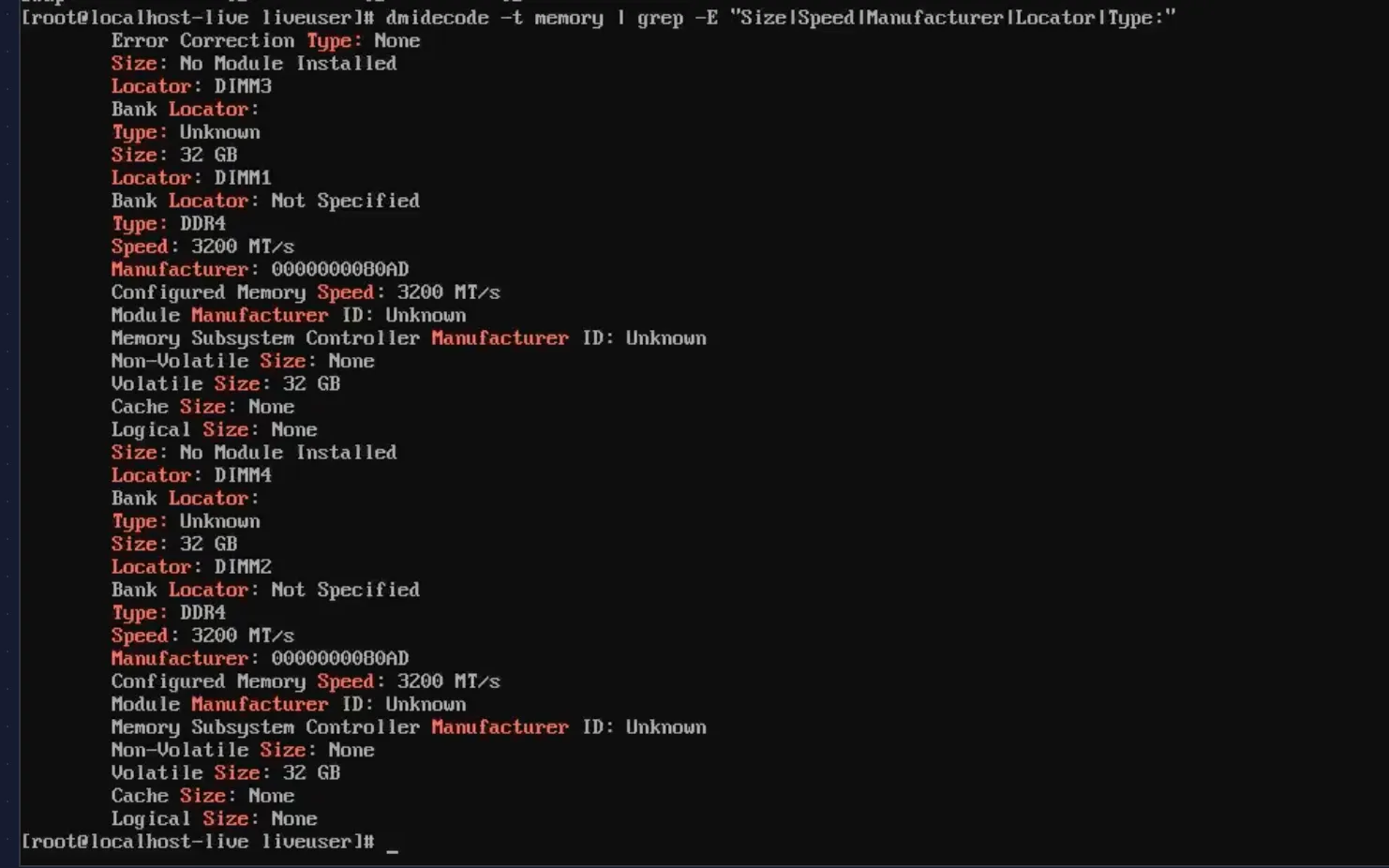
2 x 32 GB DDR4-3200 in DIMM1 and DIMM2 — dual channel. DIMM3 and DIMM4 empty, room to double to 128 GB if needed.
# lscpu | grep -E "Model name|Socket|Core|Thread|Virtualization"Model name: 11th Gen Intel(R) Core(TM) i7-11700 @ 2.50GHzThread(s) per core: 2Core(s) per socket: 8Socket(s): 1Virtualization: VT-x
vmx flag present in /proc/cpuinfo, and DMAR/IOMMU fully initialized:
# dmesg | grep -i -E "IOMMU|DMAR"ACPI: DMAR 0x0000000063FFD000 000088 (v02 INTEL Dell Inc)DMAR: Host address width 39iommu: Default domain type: Translated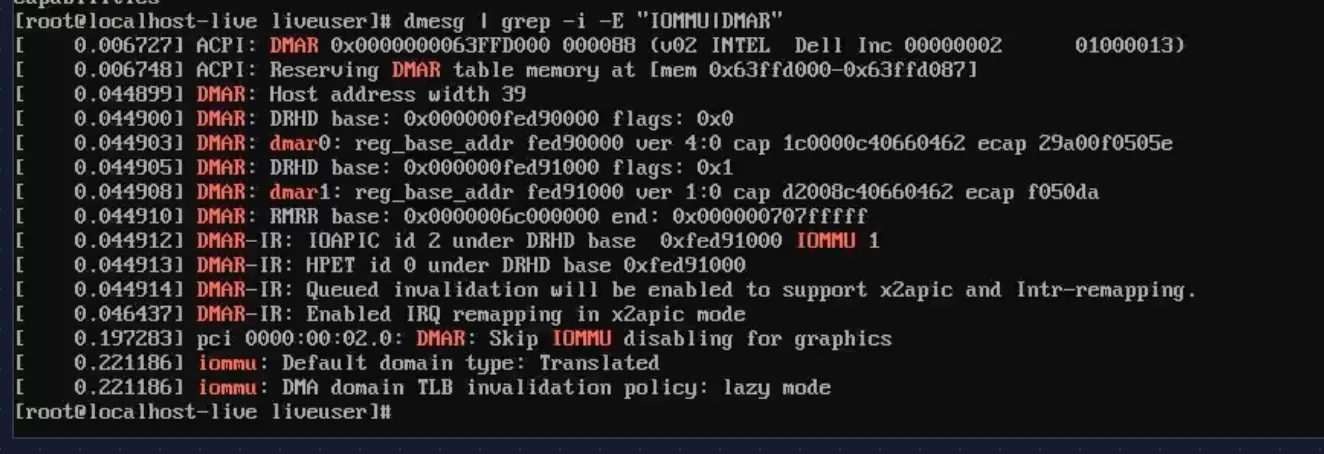
VT-d is working. Required for SR-IOV on Nodes 7-8 in Phase 2, but good to confirm now.
Throughput test — 9.41 Gbps through the switch
The final check: can the Mellanox NIC push line-rate traffic through the CRS317? This isn’t a loopback test — it’s a real path through the switch fabric.
Mac mini on CRS317 sfp-sfpplus12 (10 GbE RJ45). Node 4 on sfp-sfpplus2 (10 GbE DAC). Both ports in the switch’s bridge. iperf2 with 8 parallel TCP streams, 30 seconds:
Node 4 (client):
# iperf -c 192.168.1.74 -P 8 --sum-only -t 30[SUM] 0.00-30.02 sec 32.9 GBytes 9.41 Gbits/secMac mini (server):
[SUM] 0.00-30.01 sec 32.9 GBytes 9.42 Gbits/sec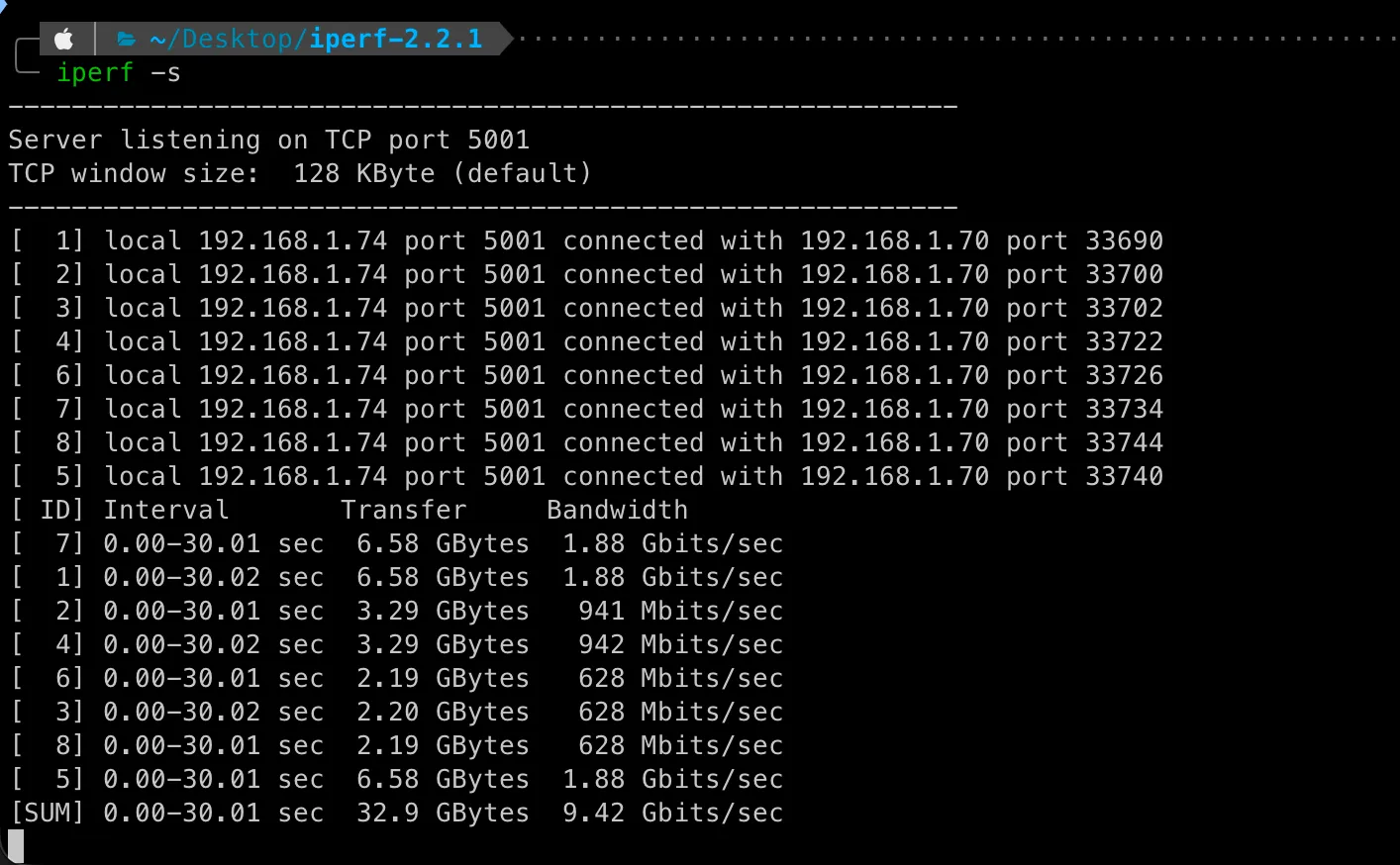
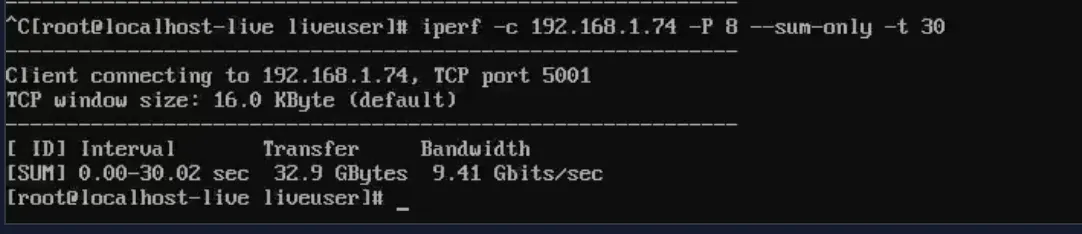
9.41 Gbps — 94% of the 10 GbE theoretical max. Essentially line rate after TCP overhead. The CRS317’s Marvell Prestera ASIC is forwarding at wire speed.
This is the path Ceph replication traffic takes in Phase 1. It works.
Kernel and driver versions (for the record)
# uname -r6.12.0-136.el10.x86_64
# modinfo mlx5_core | grep -E "^version|^filename"filename: /lib/modules/6.12.0-136.el10.x86_64/kernel/drivers/net/ethernet/mellanox/mlx5/core/mlx5_core.ko.xz
# modinfo nvme | grep -E "^version|^filename"filename: /lib/modules/6.12.0-136.el10.x86_64/kernel/drivers/nvme/host/nvme.ko.xzversion: 1.0
# modinfo ahci | grep -E "^version|^filename"filename: /lib/modules/6.12.0-136.el10.x86_64/kernel/drivers/ata/ahci.ko.xzversion: 3.0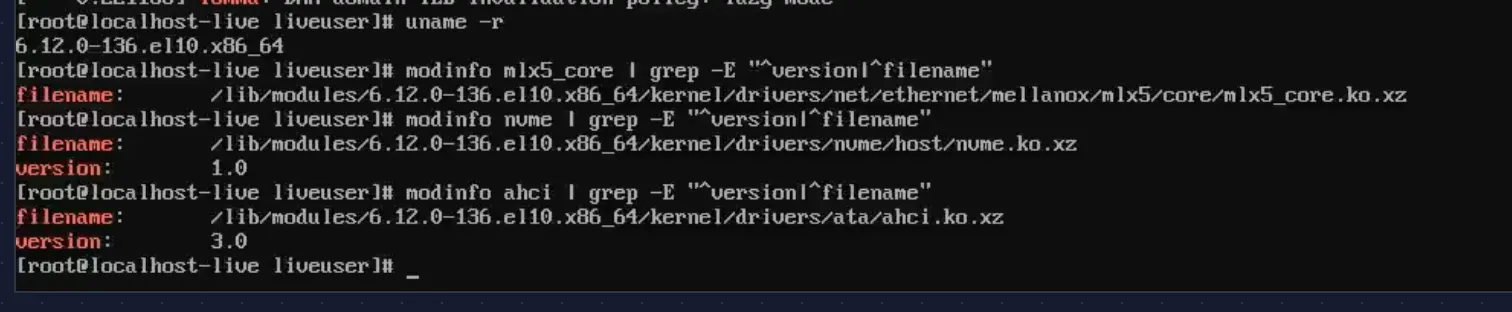
Worth recording. When SCOS 10 ships a different kernel version, I’ll want to compare driver behavior.
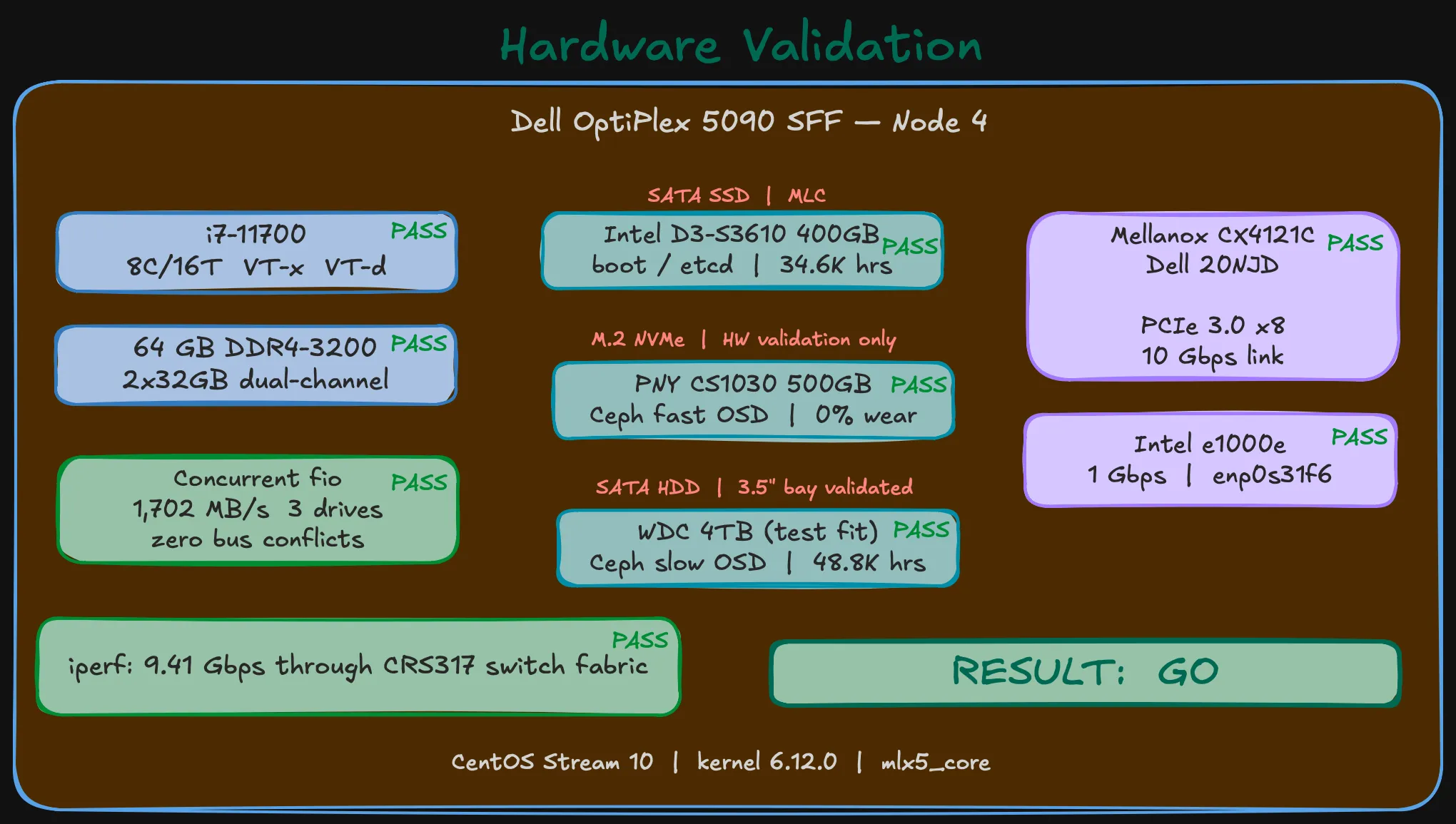
Go / no-go
Every check passed:
| # | Check | Result | Detail |
|---|---|---|---|
| 1 | Three drives detected simultaneously | PASS | Intel S3610 + PNY CS1030 + WDC 4TB |
| 2 | SMART health — boot SSD | PASS | 0 reallocated, 34.6K hours, MLC wear minimal |
| 3 | SMART health — NVMe | PASS | 0% used, 3 hours (new) |
| 4 | SMART health — HDD | PASS | 0 reallocated, 48.8K hours |
| 5 | Concurrent I/O — no bus conflicts | PASS | All drives 99.7% util, zero errors |
| 6 | Mellanox CX4121C detected (15b3:1015) | PASS | Both ports, mlx5_core loaded |
| 7 | PCIe 3.0 x8 — no downgrade | PASS | LnkSta: Speed 8GT/s, Width x8 |
| 8 | Link speed — 10 Gbps | PASS | Both ports, MikroTik DAC detected |
| 9 | Onboard NIC — DHCP, gateway, internet | PASS | 1 Gbps, 0% loss |
| 10 | Throughput — near line rate | PASS | 9.41 Gbps through CRS317 |
| 11 | Memory — 64 GB DDR4-3200, dual channel | PASS | DIMM1 + DIMM2, slots 3-4 free |
| 12 | CPU — i7-11700, VT-x, VT-d | PASS | 8C/16T, IOMMU active |
Tip (Result: GO)
This hardware is ready for OKD.
What’s next
Hardware is proven. The next post covers OKD SNO deployment on this validated machine — DNS pitfalls, installer gotchas, and platform-specific workarounds that the official docs don’t mention.